
Features · Design
Turn one post into slides people swipe.
A good list post gets scrolled past, and building slides by hand eats an evening.
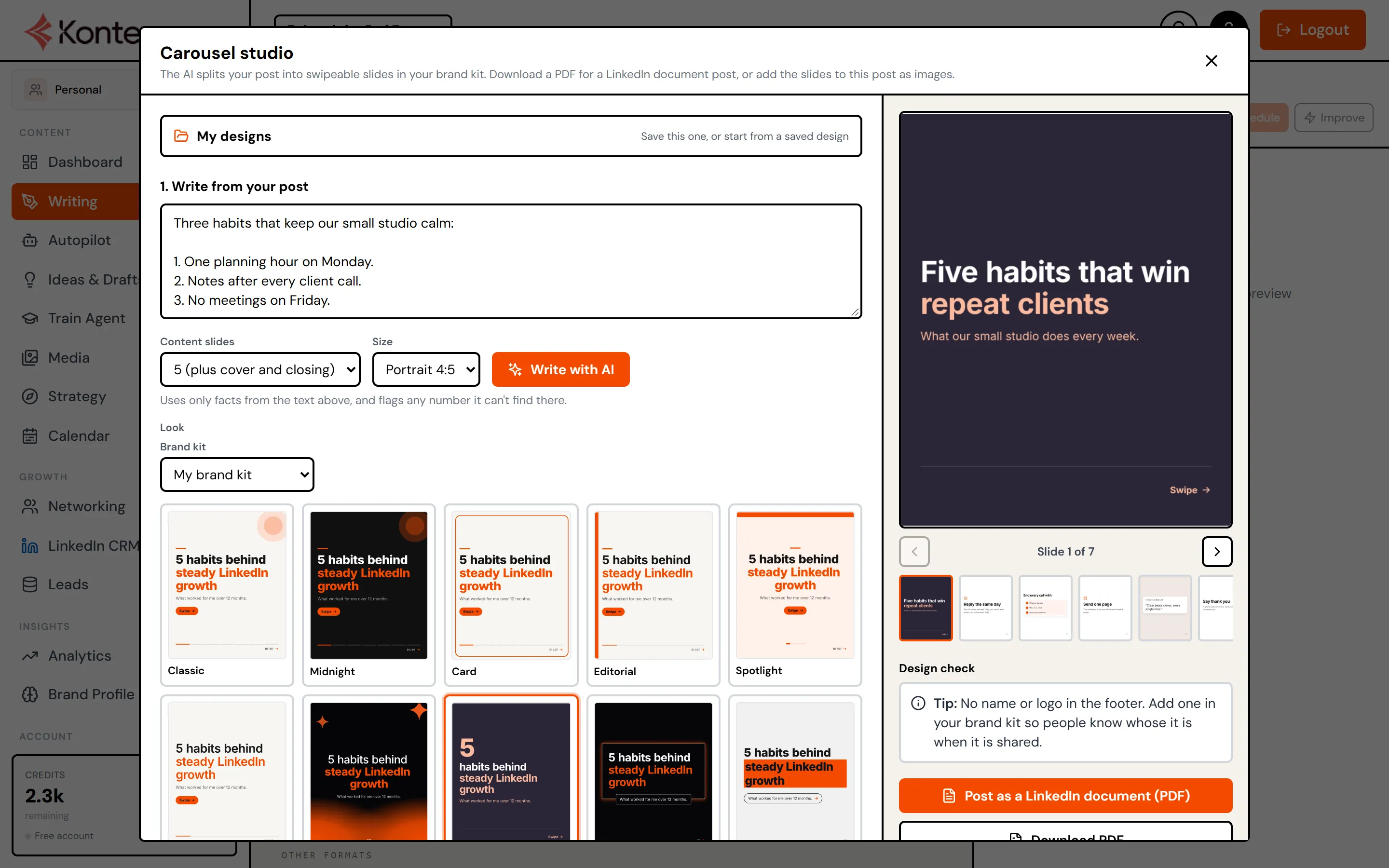
Carousels
How you do it.
-
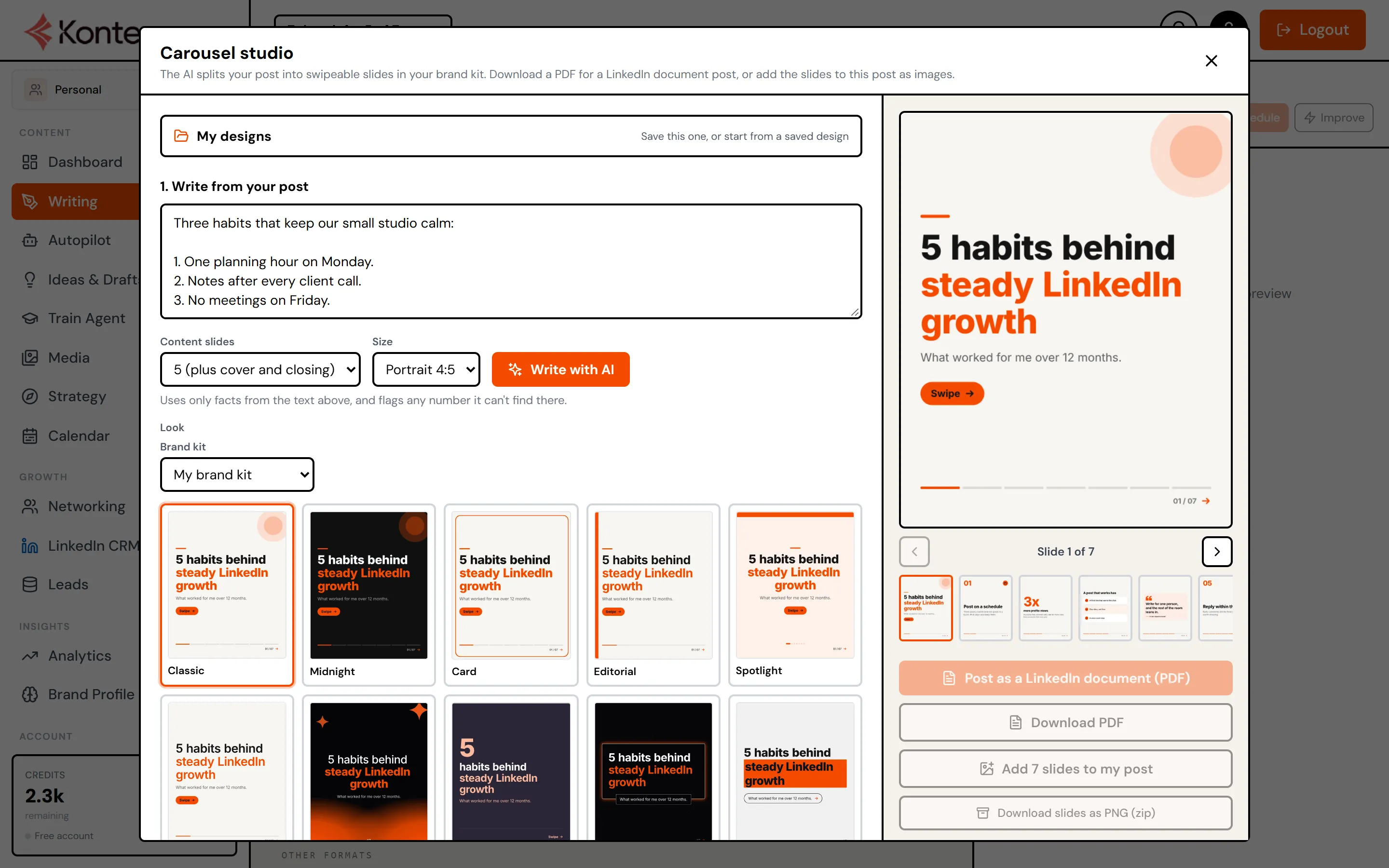
Write from your post
The writer splits your post into a cover, slides and a closing slide, using only facts from your text.
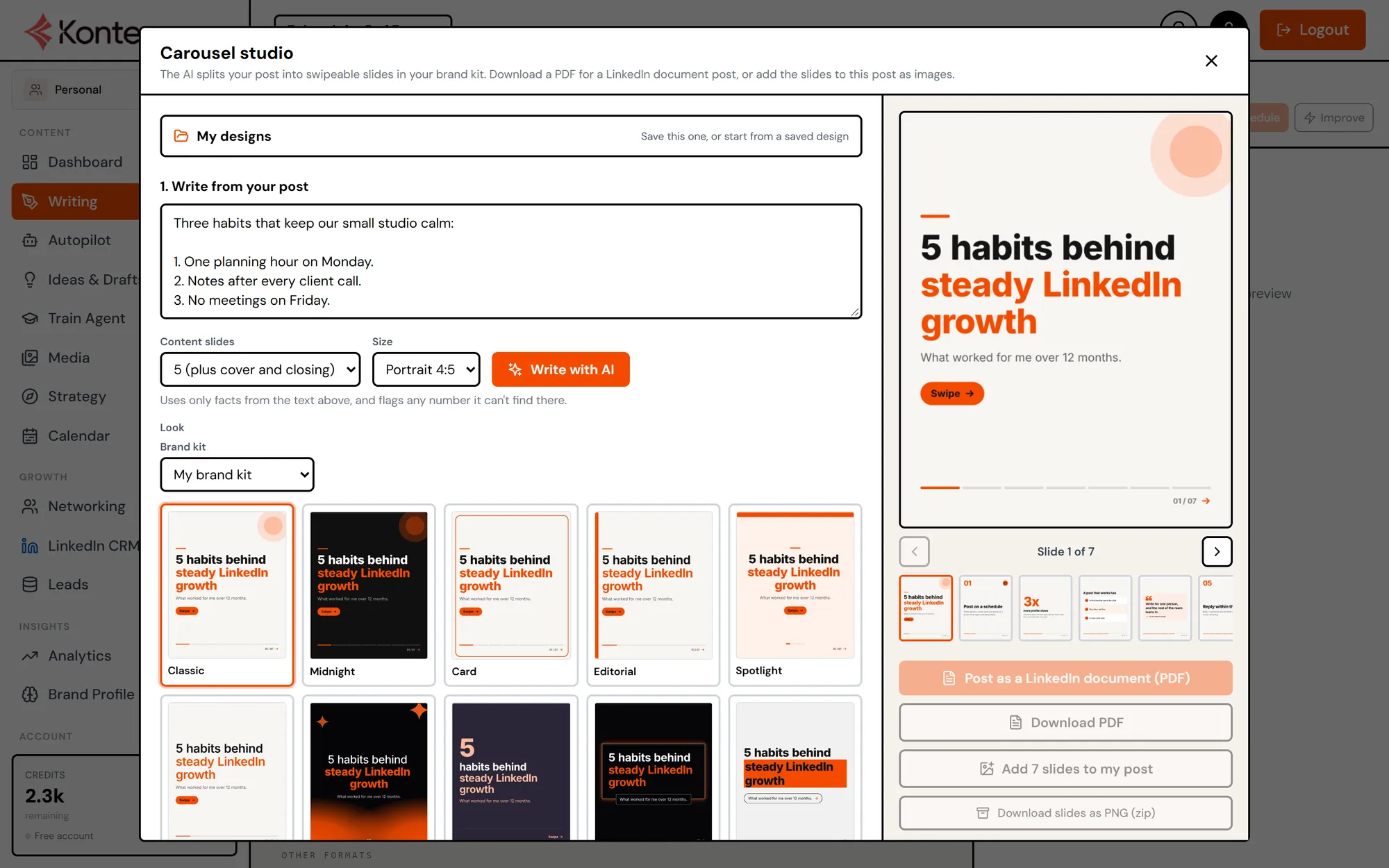
Sample data -
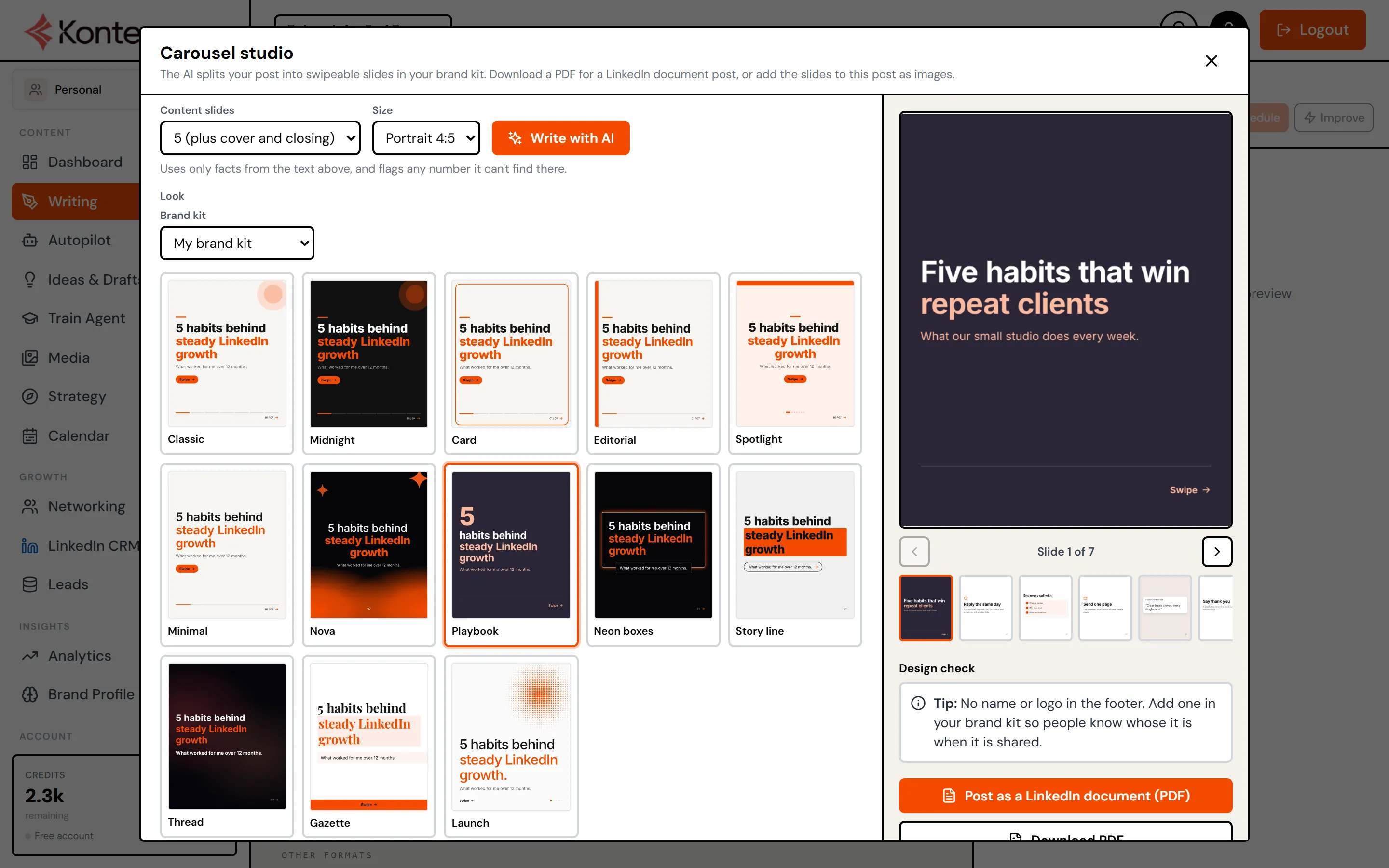
Pick a design
Switch between designs and colours; your name, logo and fonts come from your brand kit.
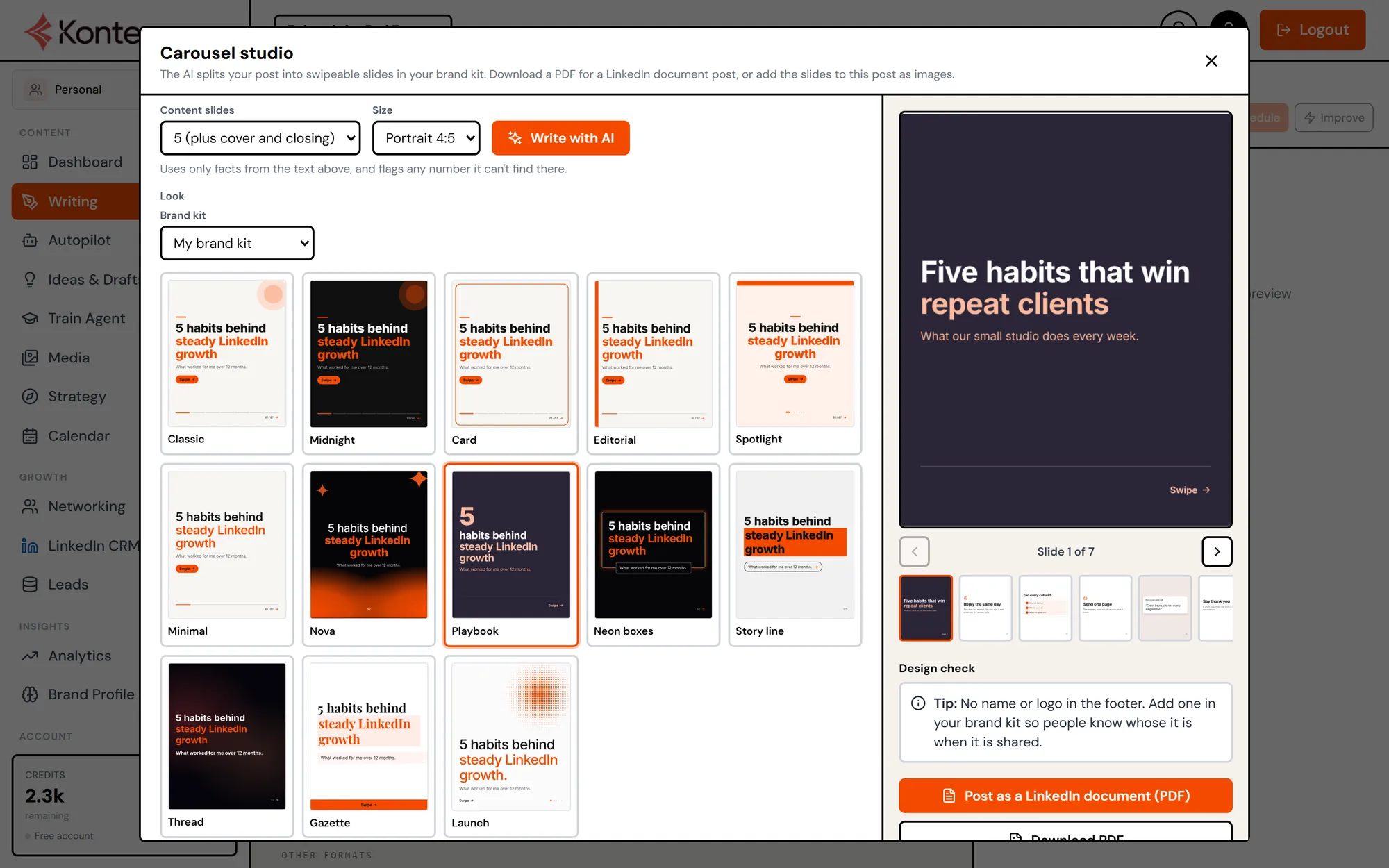
Sample data -
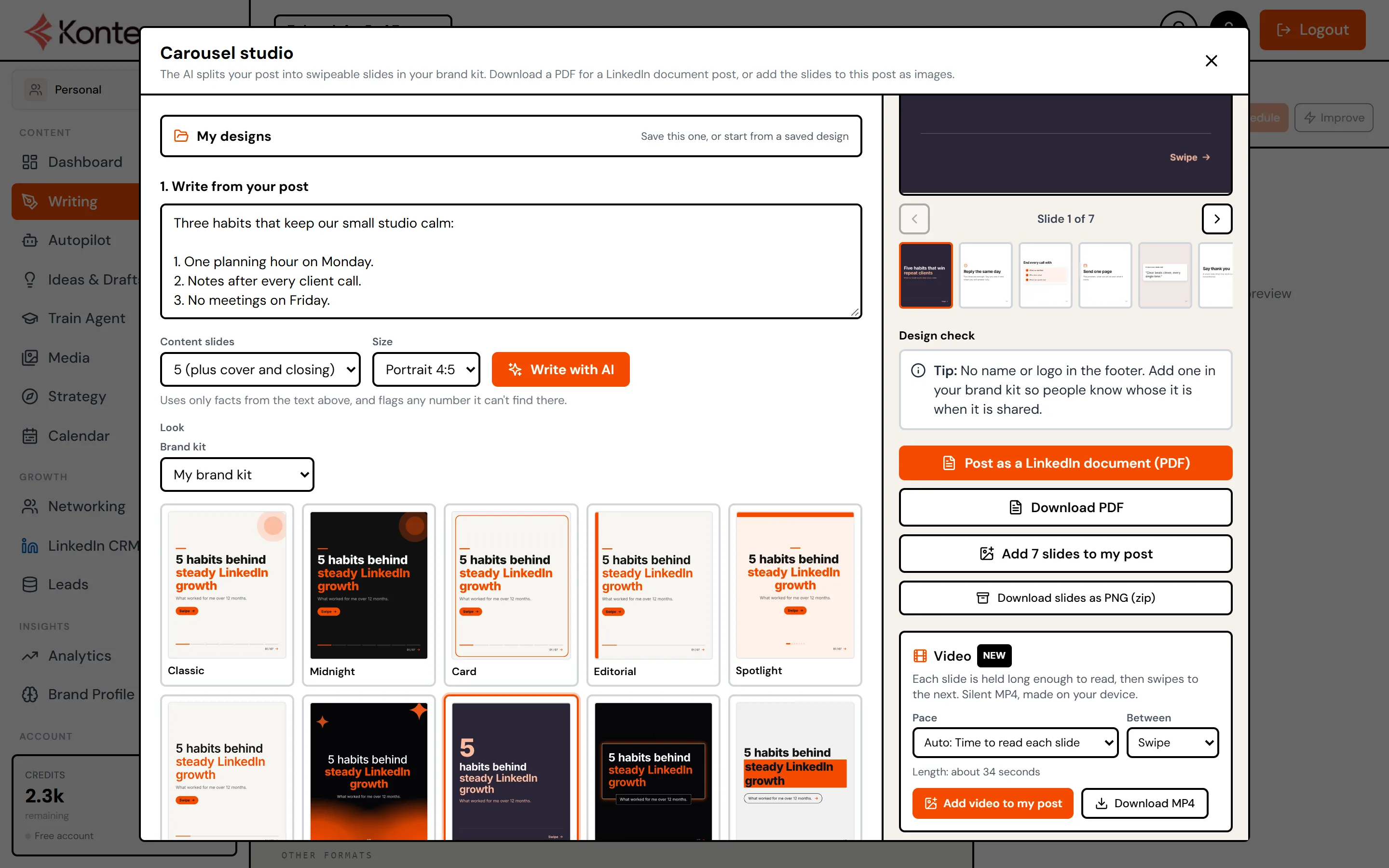
Export
Download a PDF for a LinkedIn document post, or add the slides to your post as pictures.
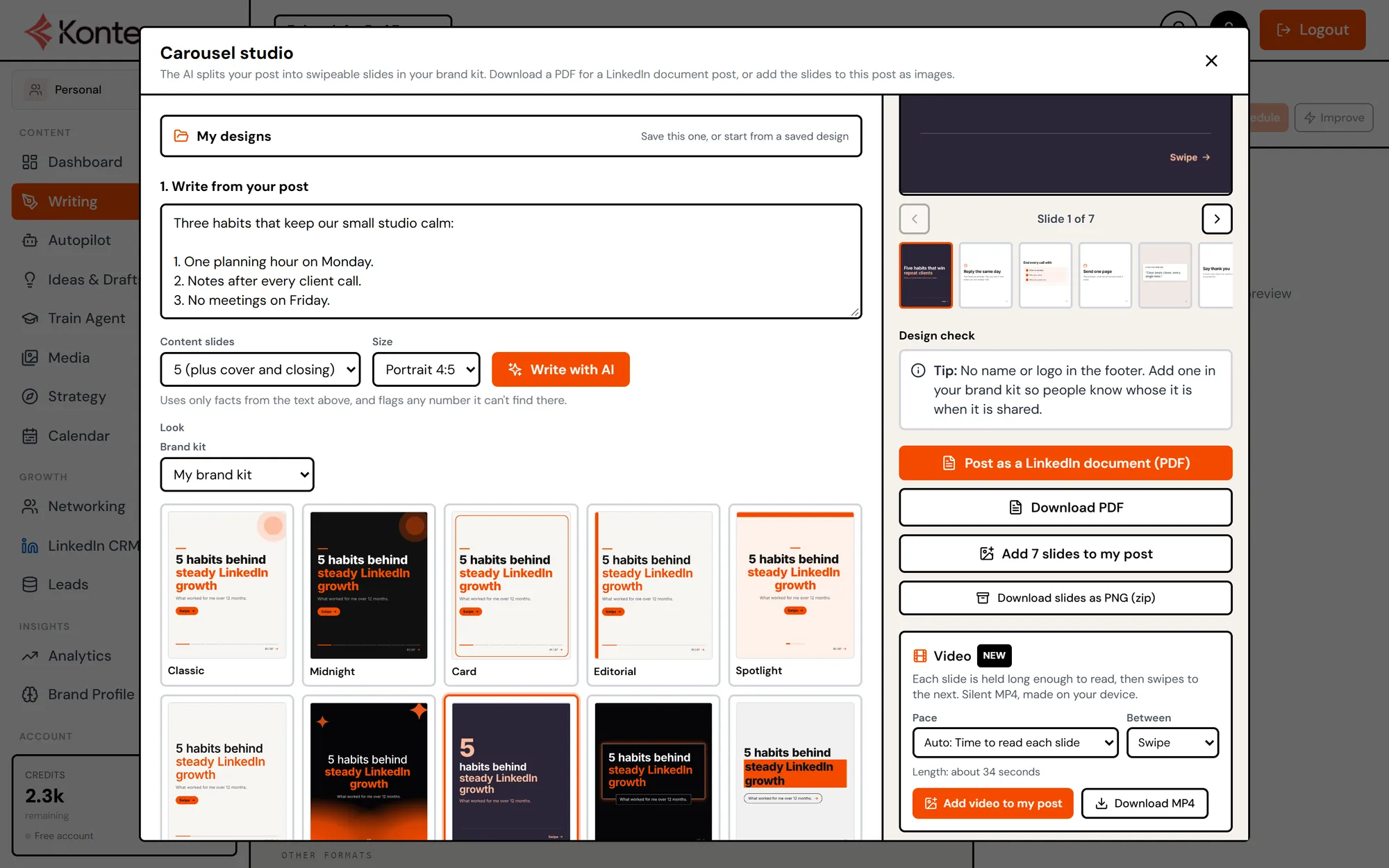
Sample data
For example
Say you wrote five habits that helped you win repeat clients. They become a cover, five slides and a closing question, ready as one PDF.
- A ready document post in minutes.
- Your brand on every slide.
- A design check that flags text that will read badly.
In your free account
What the first 7 days include.
Included
- The carousel studio and its designs
- Slide writing, which uses credits
Good to know
- Writing for several channels at once
After 7 days, AI features pause. Your data stays.
Goes well with.
Your next post, your way.
Create a free account. No card. Your first 7 days include the writing, design and follow-up tools, within limits. After 7 days, AI features pause. Your data stays.