
Features · Design
Give a still picture a reason to be watched.
A still chart is easy to scroll past, and video editors are slow to learn.
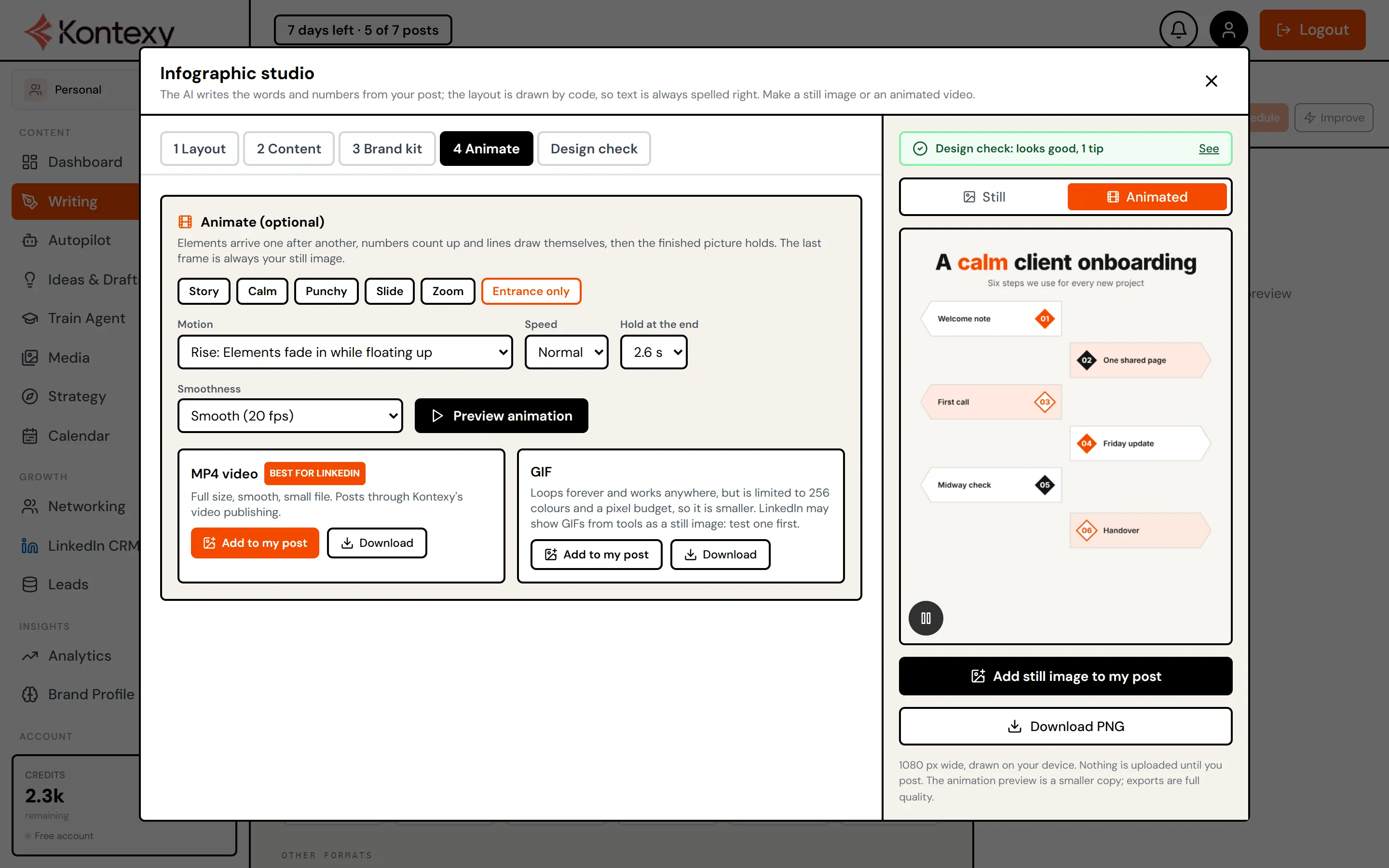
Motion
How you do it.
-
Open Animate
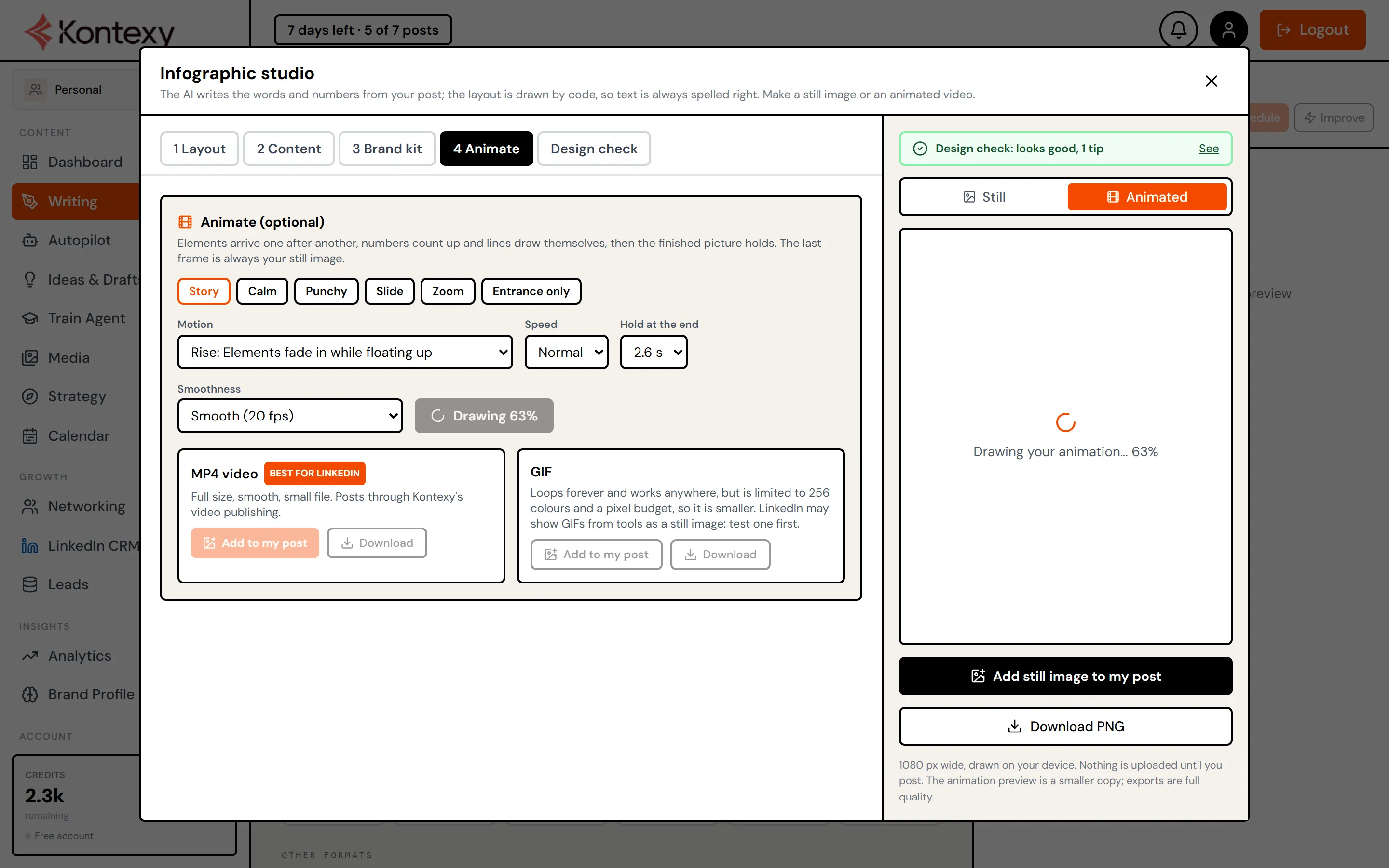
Take the infographic you made and open its animation.
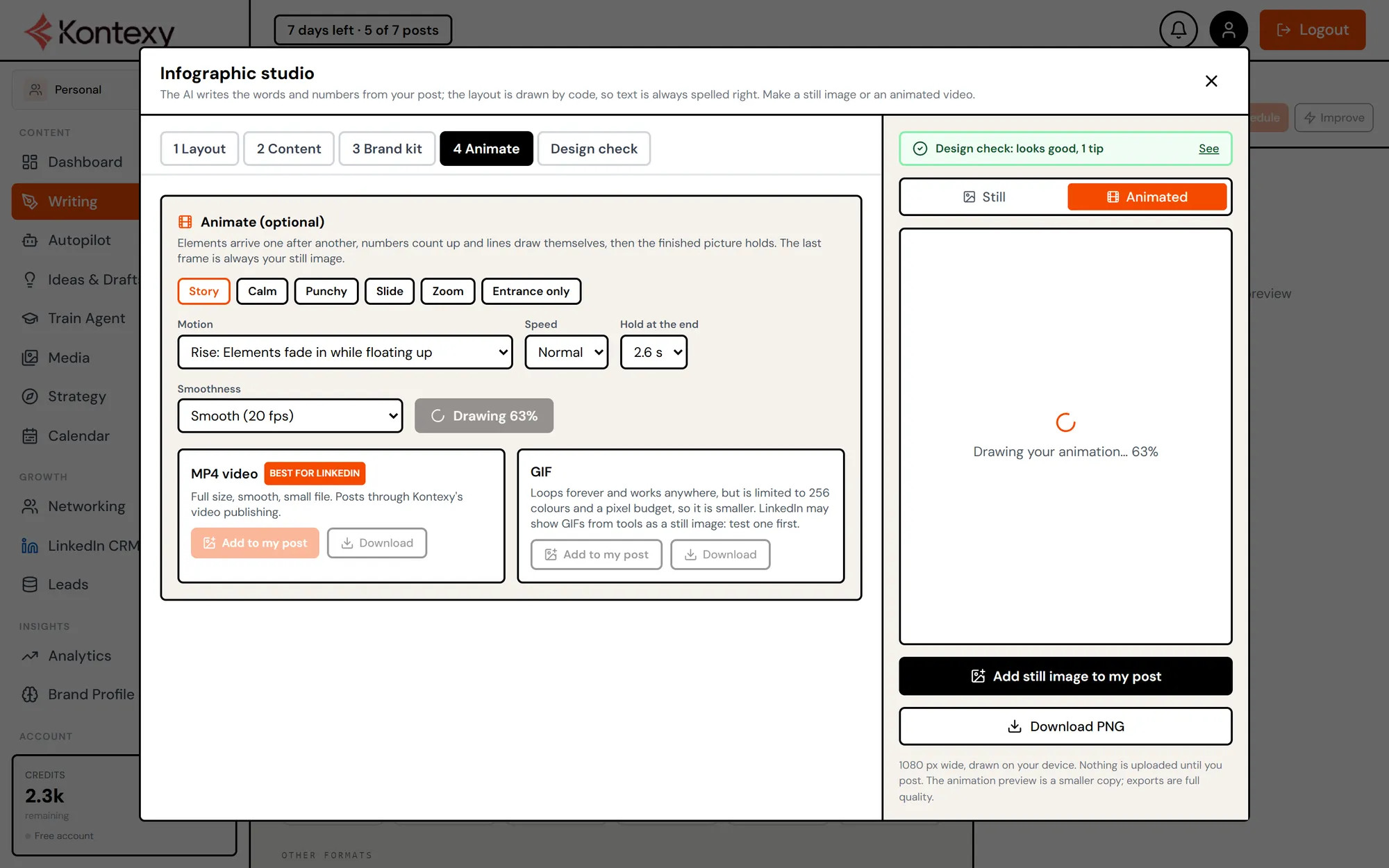
Sample data -
Pick a movement
Choose a preset such as Calm or Punchy, and how the steps light up one by one.
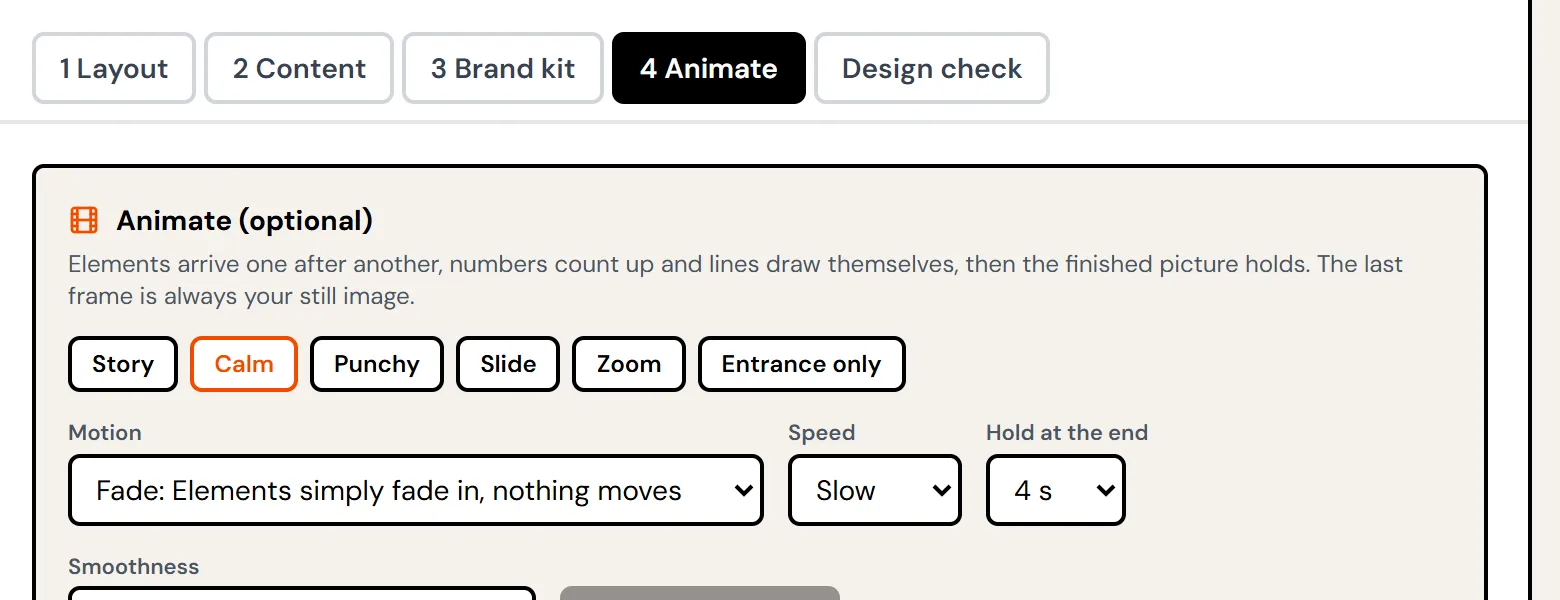
Sample data -
Export
Save an MP4 or a GIF, made on your own device.
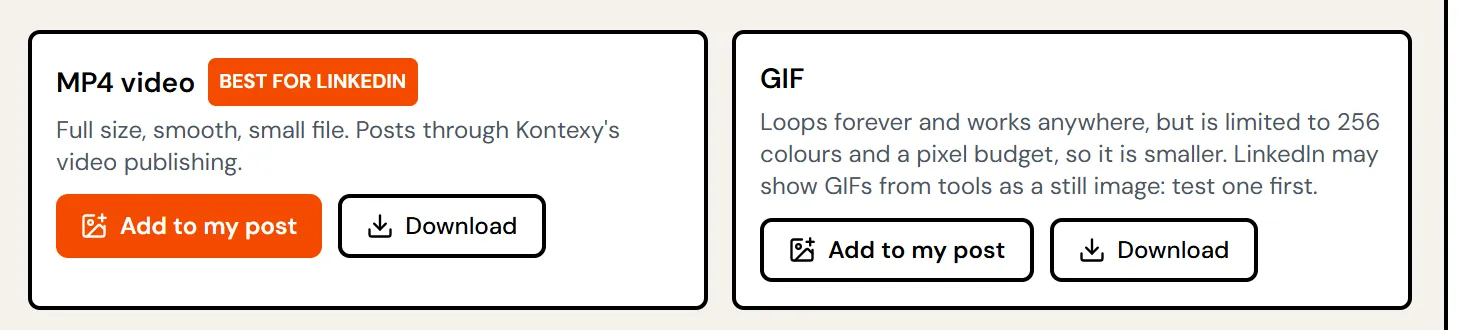
Sample data
For example
Say you show a four-step onboarding. Each step arrives in turn, then the finished picture holds long enough to read.
- Movement without a video editor.
- Made on your device.
- The finished frame stays readable.
In your free account
What the first 7 days include.
Included
- Animation presets and MP4 or GIF export
Good to know
- MP4 export needs Chrome or Edge
- No sound
After 7 days, AI features pause. Your data stays.
Goes well with.
Your next post, your way.
Create a free account. No card. Your first 7 days include the writing, design and follow-up tools, within limits. After 7 days, AI features pause. Your data stays.